


 Support
 Docs
Docs Roadmap
 Changelog

Generate instant product descriptions.
Create high-res. images from simple prompts.
Build store/product templates in seconds.
Fast and accurate product search results.
Let customer shop faster with voice search.
Increase upsell with suggestions that connects.

Recover lost sales by re-engaging customers with reminders.

Create and control your entire product catalog seamlessly.

Receive, track, and manage orders quickly and accurately.

Automate the logistics with accurate shipping classes.

Simplify tax collection and compliance without the stress.

Offer your customers diverse and secure payment options.

Brings all your business data together for smarter decisions.

Create and manage discount coupons that inspire sales.

Engage customers with engaging and impactful email campaigns.

Sell physical or digital or both at once, with ease.

Smarter selling with built-in AI tools and automation.

Customize your product pages with Gutenberg builder.
The EasyCommerce WPBakery Integration Addon enables complete visual customization of your online store using the WPBakery Page Builder. It connects the flexibility of EasyCommerce with WPBakery’s drag-and-drop design tools. This way, you can build and edit your Shop, Product, and Checkout pages visually, without coding.
The addon integrates EasyCommerce directly with WPBakery Page Builder, allowing both back-end and front-end editing. You can design your store pages visually, preview changes in real time, and publish your layouts instantly.
The integration introduces three dedicated elements to WPBakery:
Each element includes settings for typography, colors, layout, and visibility, giving you full creative control.
You can control how many products appear per page, define column structures, enable or hide filters, and customize fonts and colors. All layout changes are applied visually, allowing you to see your edits immediately within the WPBakery interface.
After creating your customized Shop or Checkout page, you can assign it directly within the EasyCommerce settings. This ensures your visual design is active on the live site while maintaining complete compatibility with EasyCommerce’s system.
The addon enhances the front-end presentation while keeping EasyCommerce’s store logic—such as pricing, cart functionality, and order processing—fully operational. It provides a design layer that does not interfere with your core store functionality.
Make sure you have installed and activated the following:
→ EasyCommerce Plugin
→ EasyCommerce WPBakery Integration Addon
→ WPBakery Page Builder Plugin
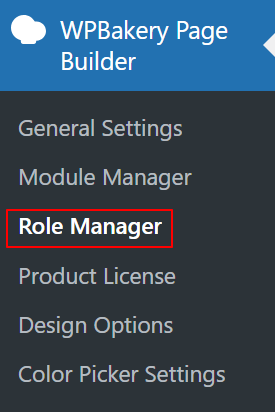
From your WordPress dashboard, go to WPBakery → Role Manager. Under the “Post Types” section, choose Custom, then enable Product, Page, and Post. This gives WPBakery access to edit store-related pages.
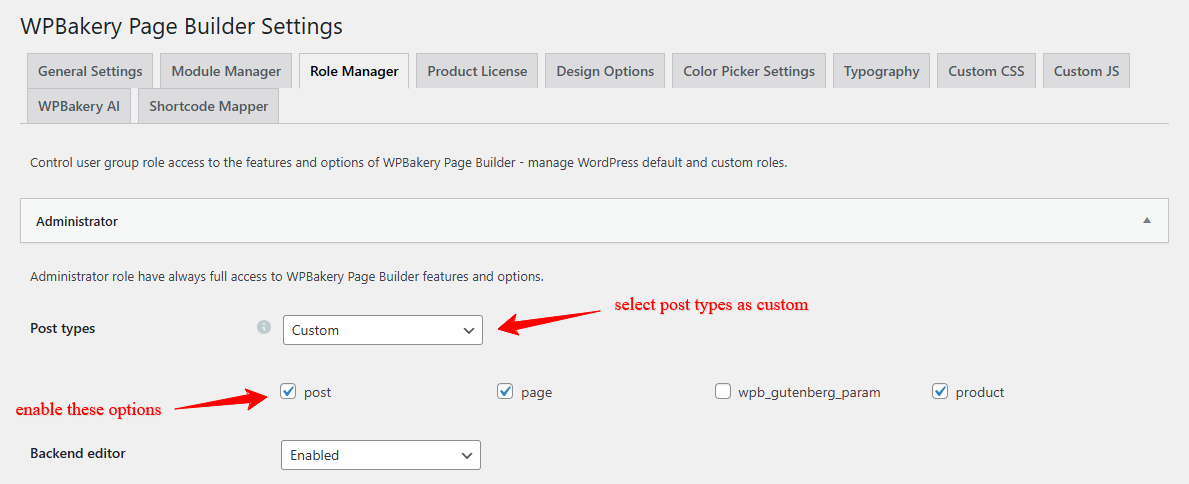
Ensure that EasyCommerce has completed its setup wizard so that products, checkout, and payment gateways are active before customizing layouts.
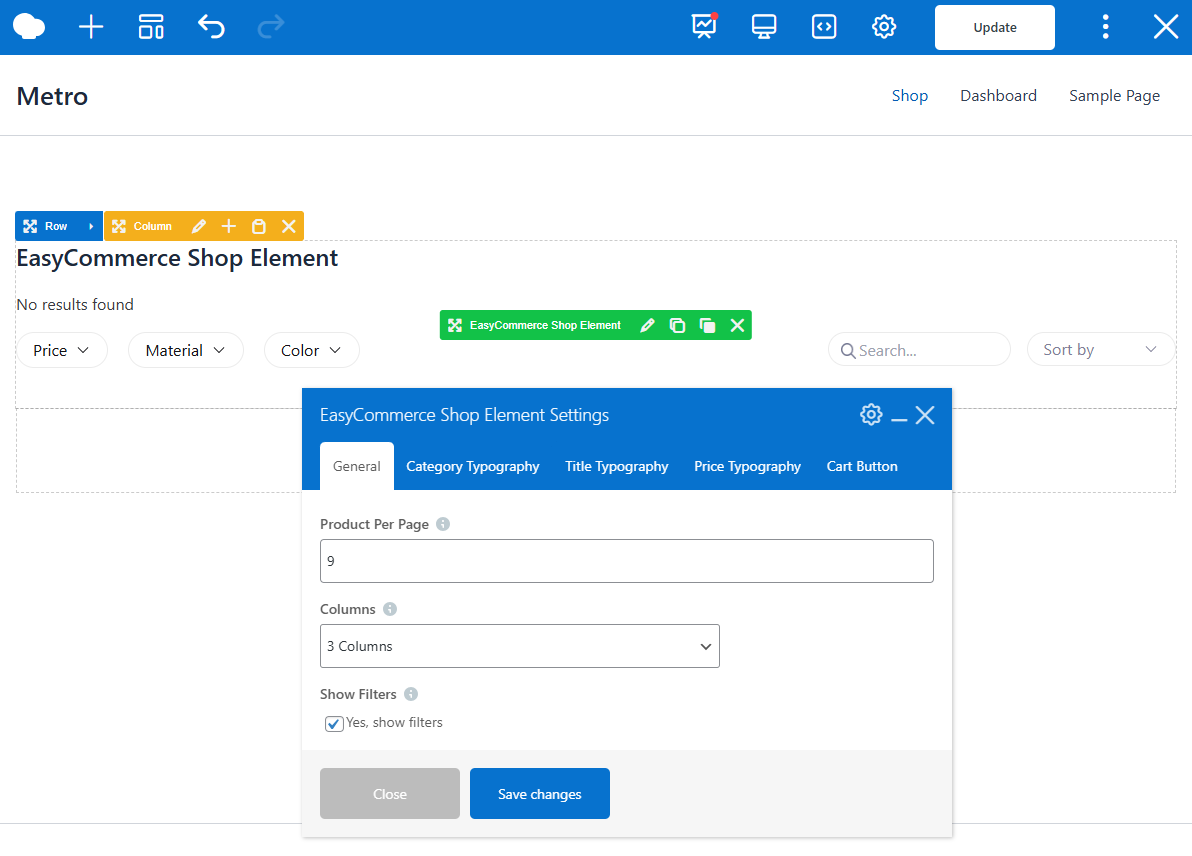
Open your Shop page and select Edit with WPBakery Page Builder. Add the EasyCommerce Shop Element from the EasyCommerce tab. Within its settings, you can:
After saving, assign this page as your live Shop page in Store → Settings → General → Store.
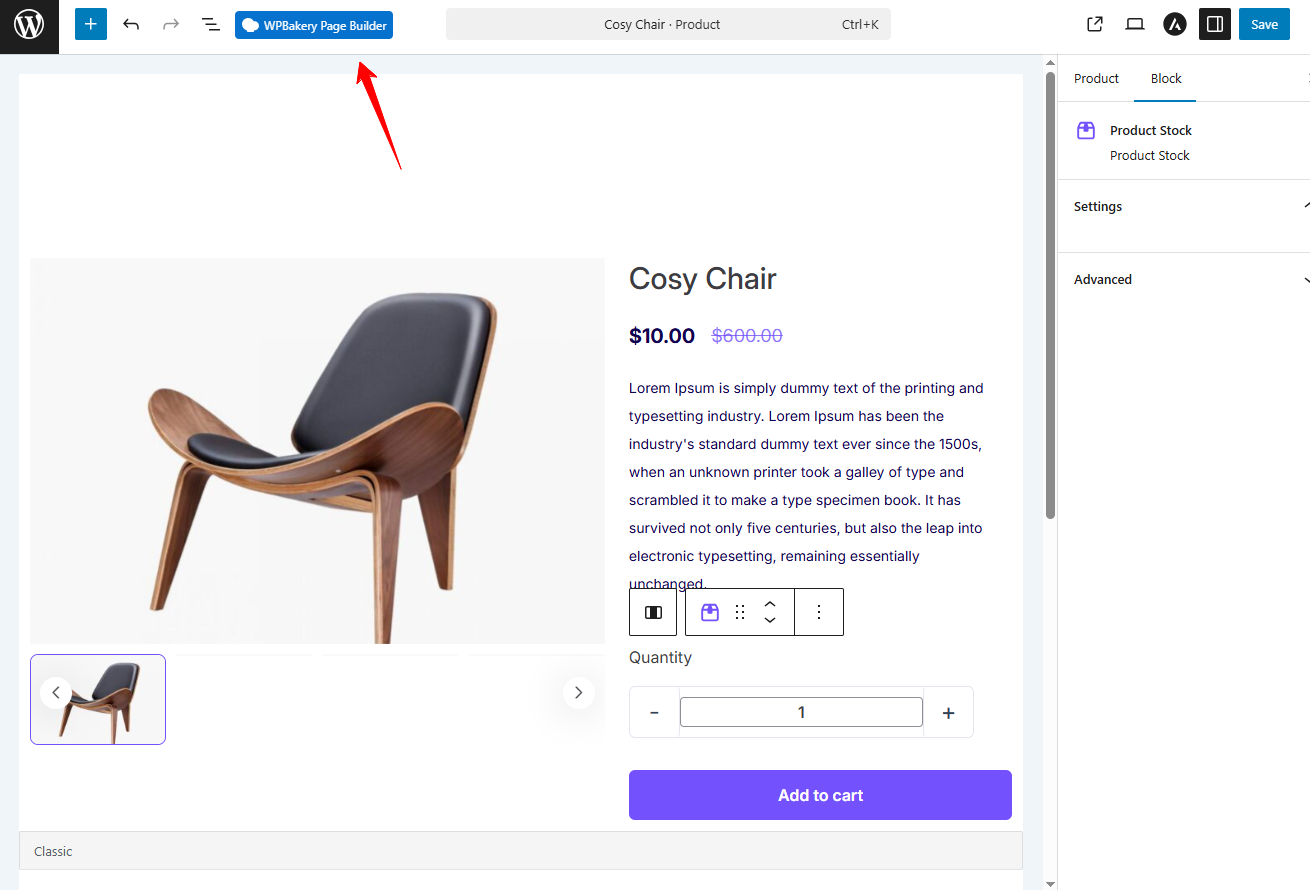
When done, save your changes, and the product page will update with your new design.
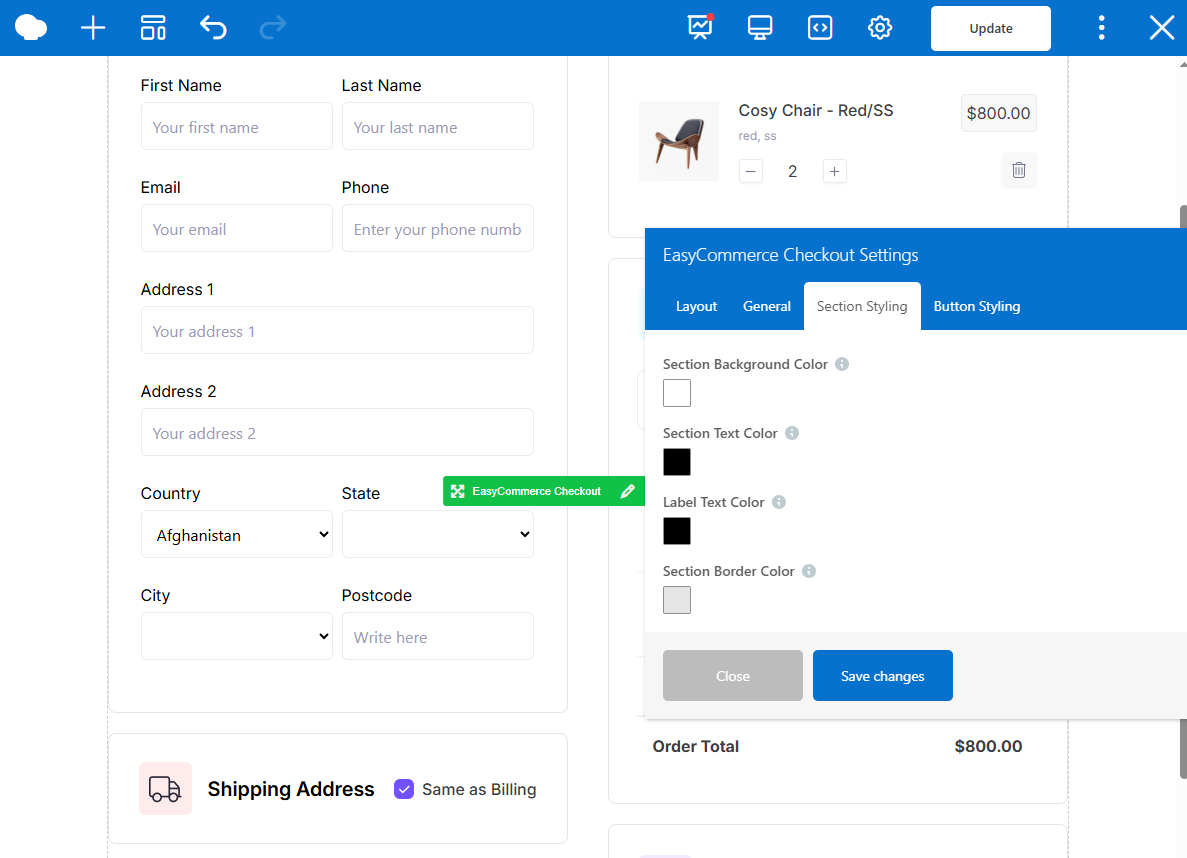
The integration centralizes all design control inside WPBakery. You can build store pages using drag-and-drop tools, add custom elements such as banners or testimonials, and adjust spacing and typography without code. All edits are immediately visible, which reduces design time and improves precision.
Store owners benefit from a faster workflow, visual consistency, and freedom to redesign any page while maintaining EasyCommerce’s back-end stability. The addon allows full creative flexibility for brands that want to elevate their storefront without hiring developers or editing templates manually.
Check out our full installation guide with screenshots to set it up step by step in minutes.