


 Support
 Docs
Docs Roadmap
 Changelog

Generate instant product descriptions.
Create high-res. images from simple prompts.
Build store/product templates in seconds.
Fast and accurate product search results.
Let customer shop faster with voice search.
Increase upsell with suggestions that connects.

Recover lost sales by re-engaging customers with reminders.

Create and control your entire product catalog seamlessly.

Receive, track, and manage orders quickly and accurately.

Automate the logistics with accurate shipping classes.

Simplify tax collection and compliance without the stress.

Offer your customers diverse and secure payment options.

Brings all your business data together for smarter decisions.

Create and manage discount coupons that inspire sales.

Engage customers with engaging and impactful email campaigns.

Sell physical or digital or both at once, with ease.

Smarter selling with built-in AI tools and automation.

Customize your product pages with Gutenberg builder.

Selling digital products demands a fast, reliable, and globally trusted payment solution, and Paddle stands out as a top choice. The EasyCommerce Paddle addon connects your store to the Paddle payment gateway, allowing you to securely accept payments with major credit cards. It’s built to deliver a seamless checkout experience, especially for digital goods.
Once enabled, Paddle appears as a payment option on the checkout page. It processes payments externally while keeping the experience seamless for your customers. Although EasyCommerce Paddle addon is currently tested with credit cards, broader payment method support is being planned for future updates.
The EasyCommerce Paddle addon is ideal for digital-first businesses and creators selling online. Here’s what makes it a smart choice:
Here’s how to get set up and running with this add-on:
1. Activate the Add-On
Install and activate the Paddle Payment Integration add-on via your WordPress plugins area or EasyCommerce add-ons section.

2. Configure Paddle Credentials
In EasyCommerce → Settings → Payments (or the add-on’s settings page), enable Paddle and save changes.
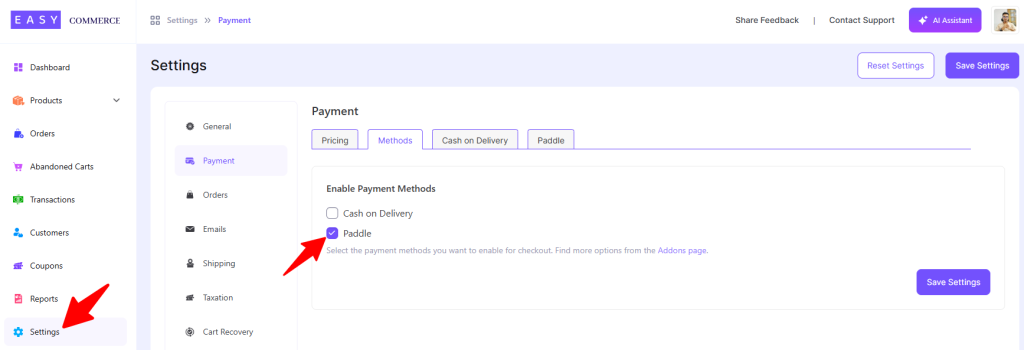
After that, configure your Paddle account details:
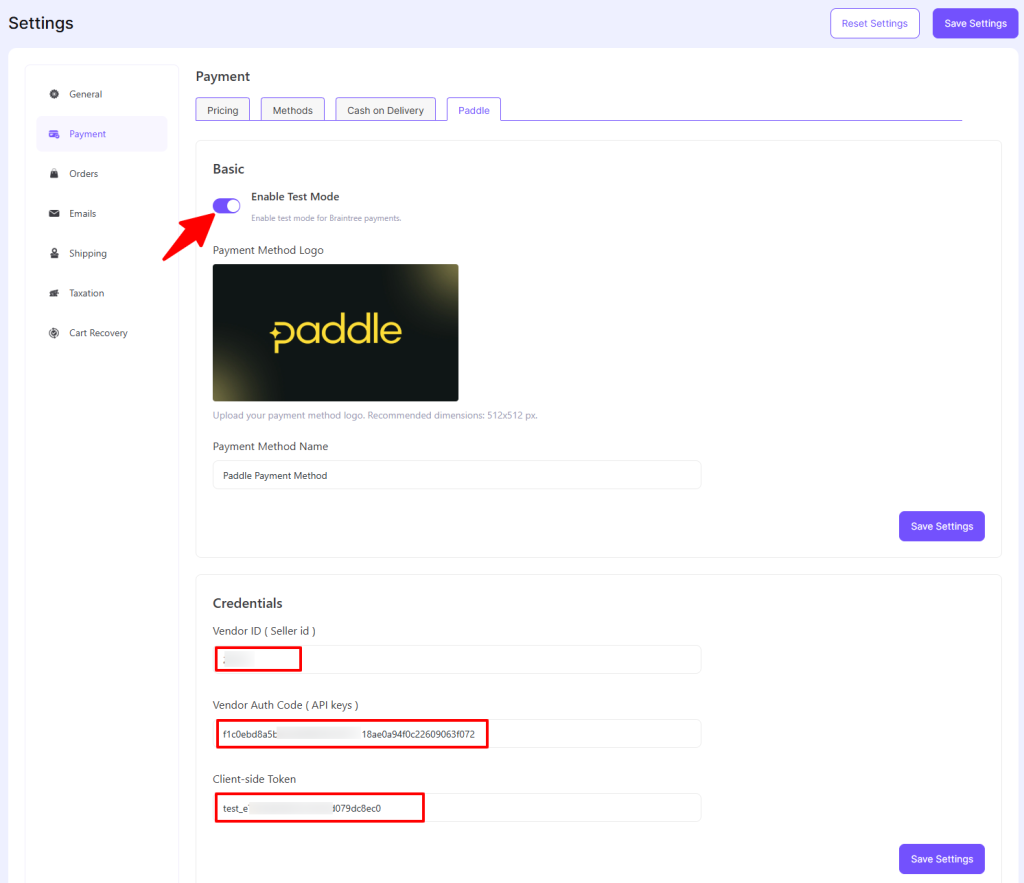
3. Enable Paddle as a Payment Method
Once your credentials are saved and verified, it will appear at checkout for customers.
4. Set Up Products & Checkout
Link your digital products (downloads, licenses, etc.) in EasyCommerce to use Paddle as a payment method. Ensure you correctly define currency, price, and product settings.
5. Test Your Setup
Run test transactions via sandbox mode to ensure checkout works, payment flows correctly, and order statuses update as expected.
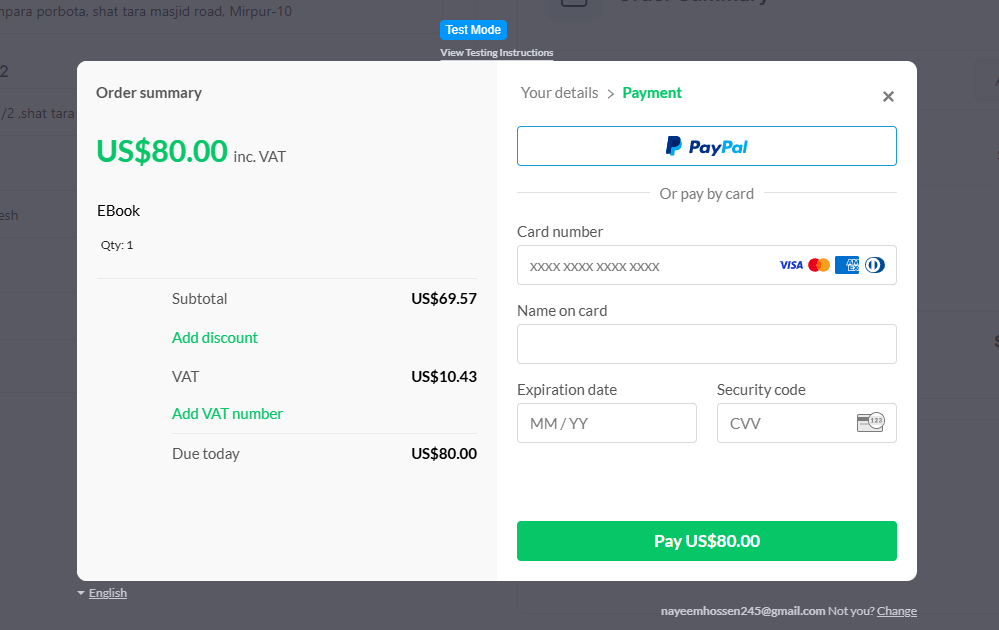
6. Go Live
Switch from sandbox/test mode to production live mode. Monitor your first live transactions and ensure that everything from checkout to tax reporting is running smoothly.
Selling internationally shouldn’t be more complicated. With this add-on, you get a fully integrated global payments solution from checkout to compliance. So you can focus on growth and your customers, not backend complexity.