


 Support
 Docs
Docs Roadmap
 Changelog

Generate instant product descriptions.
Create high-res. images from simple prompts.
Build store/product templates in seconds.
Fast and accurate product search results.
Let customer shop faster with voice search.
Increase upsell with suggestions that connects.

Recover lost sales by re-engaging customers with reminders.

Create and control your entire product catalog seamlessly.

Receive, track, and manage orders quickly and accurately.

Automate the logistics with accurate shipping classes.

Simplify tax collection and compliance without the stress.

Offer your customers diverse and secure payment options.

Brings all your business data together for smarter decisions.

Create and manage discount coupons that inspire sales.

Engage customers with engaging and impactful email campaigns.

Sell physical or digital or both at once, with ease.

Smarter selling with built-in AI tools and automation.

Customize your product pages with Gutenberg builder.
Turn your EasyCommerce store into a complete license-selling and management hub. Now sell digital goods like plugins, themes, software, and online tools simply and securely.
Any form of software or digital downloads that can be configured with a license key activation.
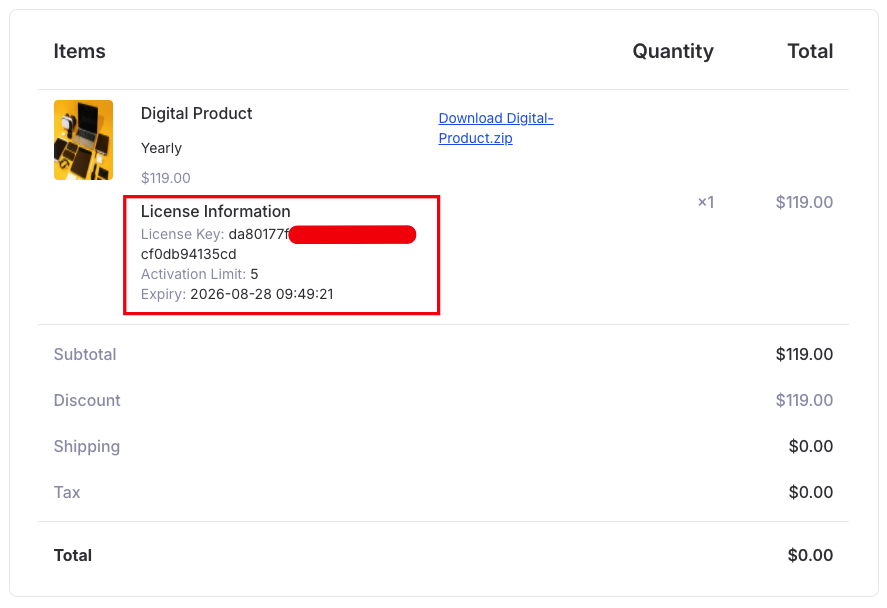
This license addon instantly generates a unique license key every time a license-equipped digital product is sold. Customers receive their license automatically via email or on the customer dashboard. This ensures fast delivery and fewer support requests.
To configure a digital product with licensing, start at the product listing interface. It's the first step in the process.
You need to tick the ‘Generate License’ functionality to activate the mechanism. Set how many times a license can be activated and define its validity (days, months, or years). Perfect for one-time purchases with controlled access.
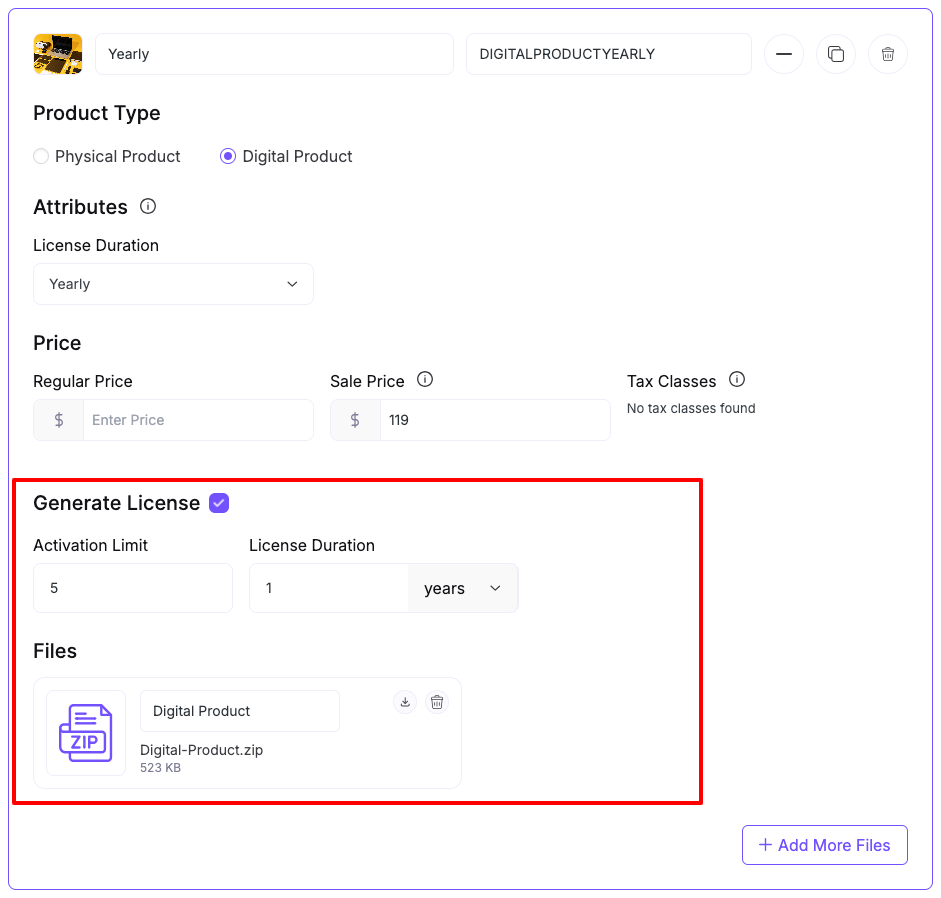
Note: Don’t forget to attach the digital product file in the process.
Manage all your licenses from a single, organized dashboard. Quickly see:
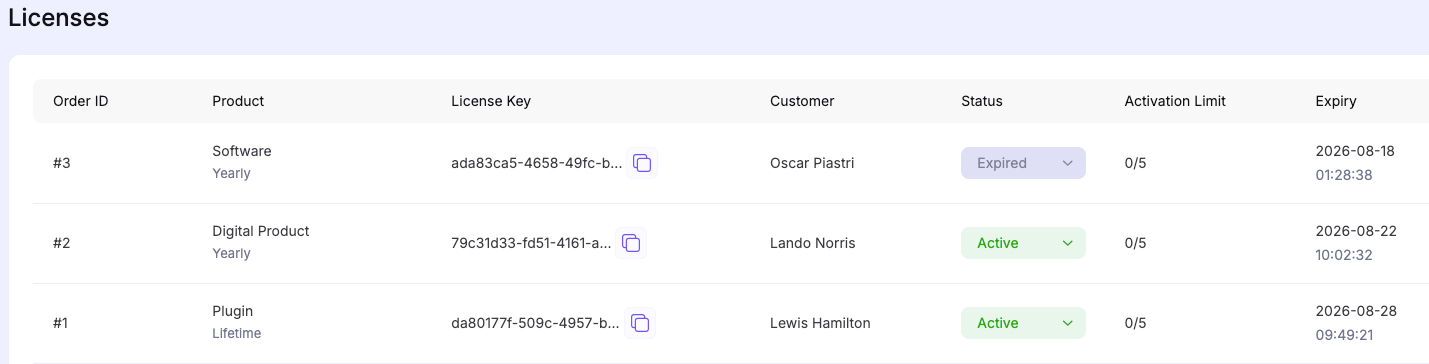
With this single interface, you can manage all licenses, spot issues fast, and take action right away.
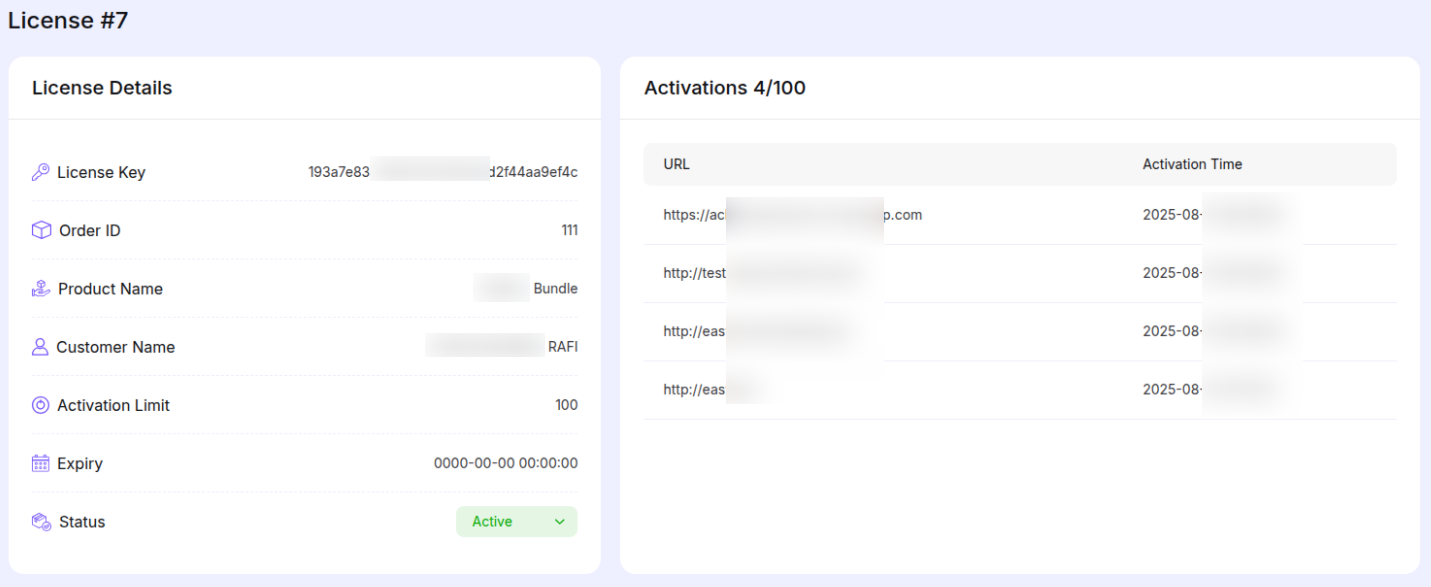
Click the ‘View’ option to open any license log. Here, you’ll find key details like how many unique domains the license was activated on, the domain list, and how many activations are left.
Check out our full installation guide with screenshots to set it up step by step in minutes.