easycommerceeasycommerce

Compare with

  • WooCommerce

    WooCommerce

  • SureCart

    SureCart

  • EDD

    Easy Digital Downloads

  • Ecwid

    Ecwid

  • AI

    AI Features

    AI Copy Writer

    Generate instant product descriptions.

    AI Image Generator

    Create high-res. images from simple prompts.

    AI Template Generator

    Build store/product templates in seconds.

    AI Smart Search

    Fast and accurate product search results.

    AI Voice Search

    Let customer shop faster with voice search.

    AI Recommendation

    Increase upsell with suggestions that connects.

  • Features

    Features

    easycommerce
    Abandoned Cart Recovery

    Recover lost sales by re-engaging customers with reminders.

    easycommerce
    Product Management

    Create and control your entire product catalog seamlessly.

    easycommerce
    Order Management

    Receive, track, and manage orders quickly and accurately.

    easycommerce
    Shipping

    Automate the logistics with accurate shipping classes.

    easycommerce
    Taxation

    Simplify tax collection and compliance without the stress.

    easycommerce
    Payment Methods

    Offer your customers diverse and secure payment options.

    easycommerce
    Dashboard

    Brings all your business data together for smarter decisions.

    easycommerce
    Coupon Codes

    Create and manage discount coupons that inspire sales.

    easycommerce
    Personalized Emails

    Engage customers with engaging and impactful email campaigns.

    easycommerce
    Physical & Digital Products

    Sell physical or digital or both at once, with ease.

    easycommerce
    Power of AI

    Smarter selling with built-in AI tools and automation.

    easycommerce
    Drag‑and‑Drop Builder

    Customize your product pages with Gutenberg builder.
  • Addons
  • Help & Support
    • BlogSupport
    • BlogBlog
    • BlogDocs
    • BlogRoadmap
    • BlogChangelog
  • Pricing
  • One-Click Demo
Get Started
‌
‌
‌
‌
‌
‌
‌
‌
‌
‌
‌
‌
‌
‌
easycommerce

EasyCommerce is an AI-powered WordPress Ecommerce Plugin revolutionizing ecommerce store building experience for everyone.

Subscribe for Latest Updates

Quick Links

  • Blog
  • Docs
  • Roadmap
  • Changelog
  • Partners
  • Customer Portal

Comparison

  • WooCommerce
  • SureCart
  • Easy Digital Downloads
  • Ecwid

Company

  • Refund Policy
  • Privacy Policy
  • Become an Affiliate

Copyright © 2025 EasyCommerce. All rights reserved.

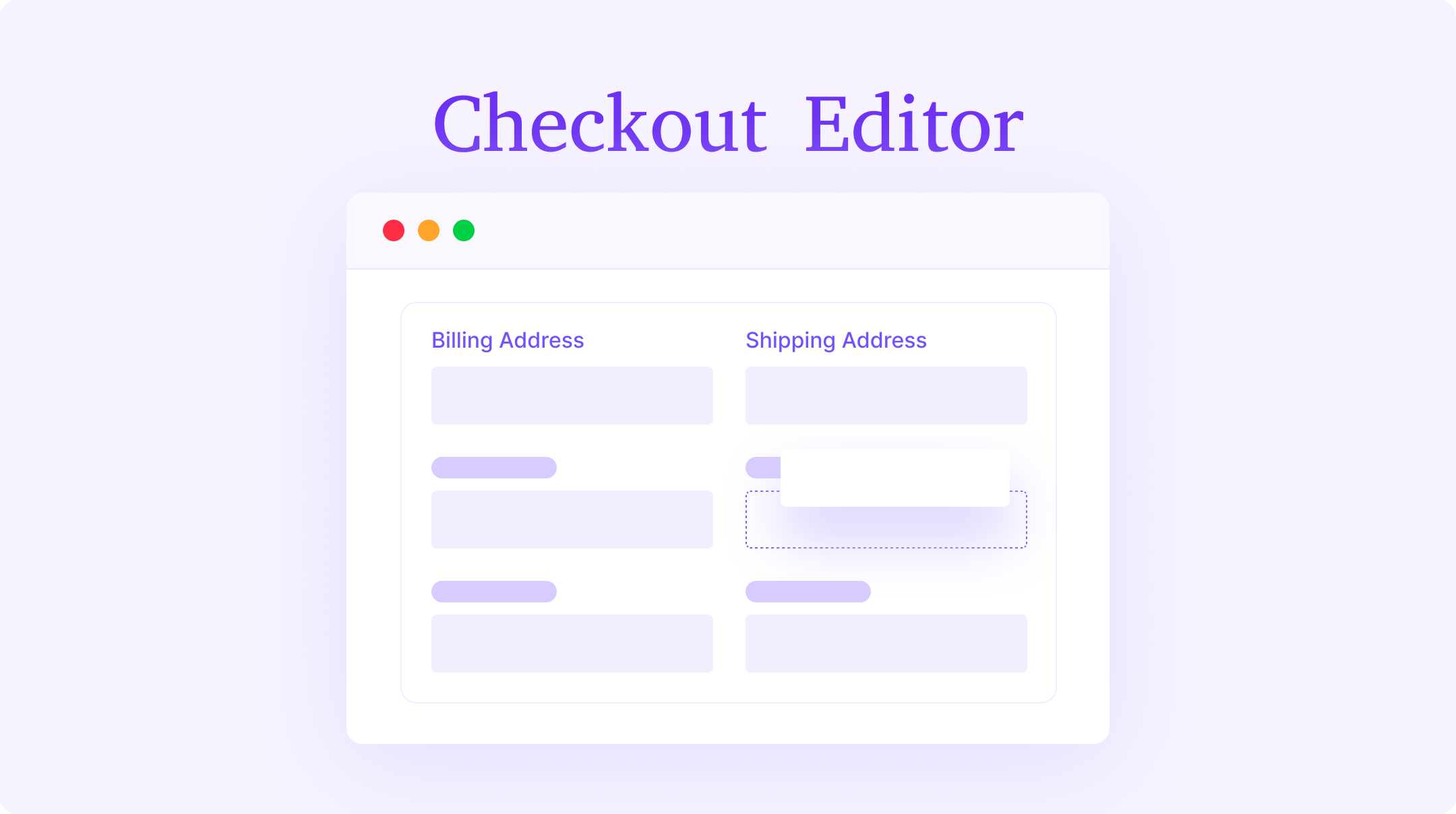
Checkout Editor

Give your customers a smoother checkout experience while collecting the right information. The Checkout Field Editor lets you add, remove, or reorder checkout form fields — all from an intuitive drag-and-drop interface. No coding, no confusion.
Key Features of Checkout Field Editor →

  • Add unlimited custom fields at checkout
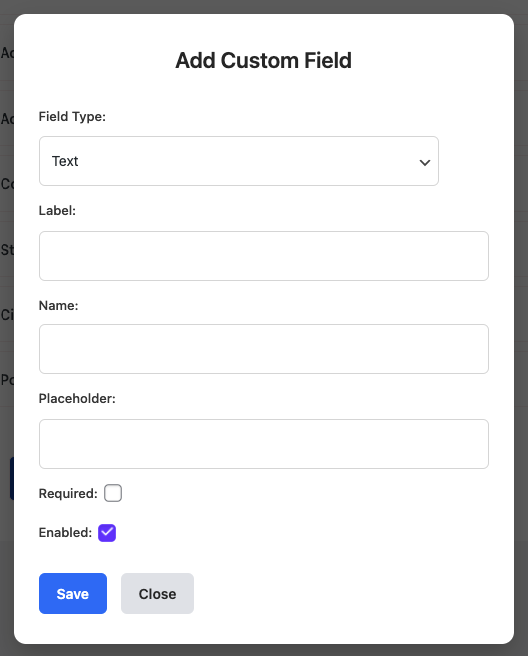
  • Choose from multiple field types (text, email, number, date, select, radio, checkbox)
  • Reorder fields using simple drag-and-drop
  • Edit labels, placeholders, and required status
  • Hide or disable unnecessary fields
  • Preview form layout instantly
  • Apply settings store-wide in one click

Common Use Cases

Perfect for any business that needs to customize checkout data collection.
For example:
  • Collecting delivery notes or special instructions
  • Adding gift message or 'how did you hear about us' fields
  • Creating business invoice fields like VAT or company name

Edit and Customize in Minutes

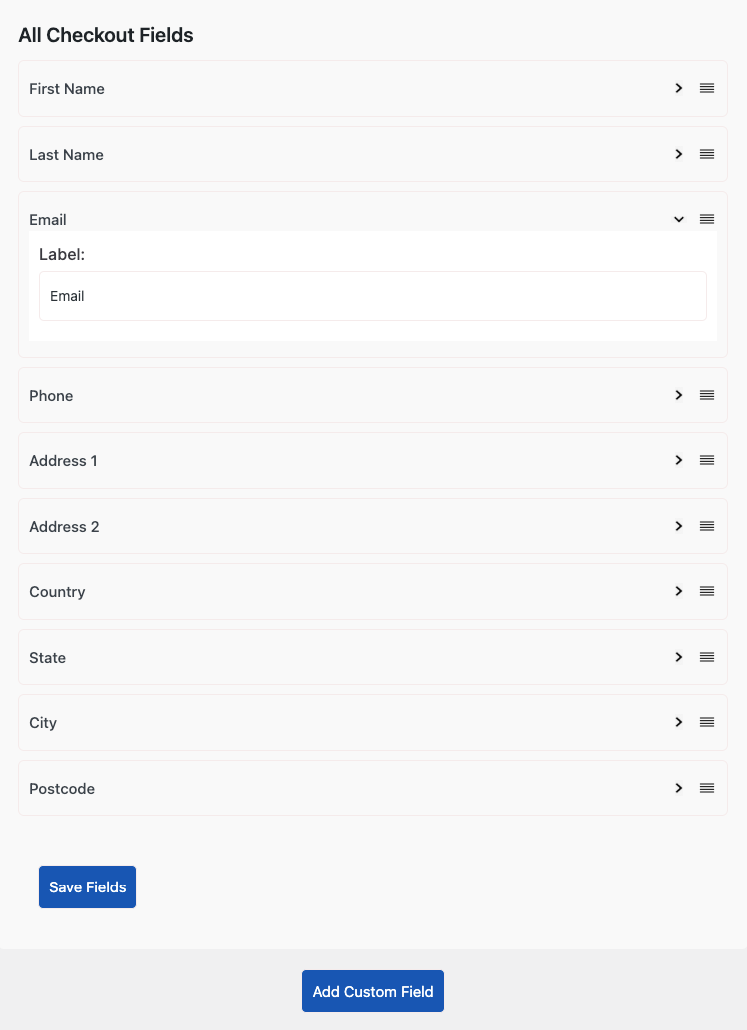
Once the addon is installed and activated, go to Checkout Fields Editor from your EasyCommerce dashboard. You’ll see all existing checkout fields listed in one place.
From there, you can:

  • Add a new field using the Add Field button
  • Modify existing ones by editing labels, placeholders, or field types
  • Change their position with a simple drag-and-drop motion

Every update is reflected instantly on your live checkout page.

How This Helps Your Business

  • Simplifies checkout for faster completion
  • Collects valuable data for order handling or marketing
  • Makes the checkout form fit your brand and workflow
  • Saves developer cost with a complete no-code setup

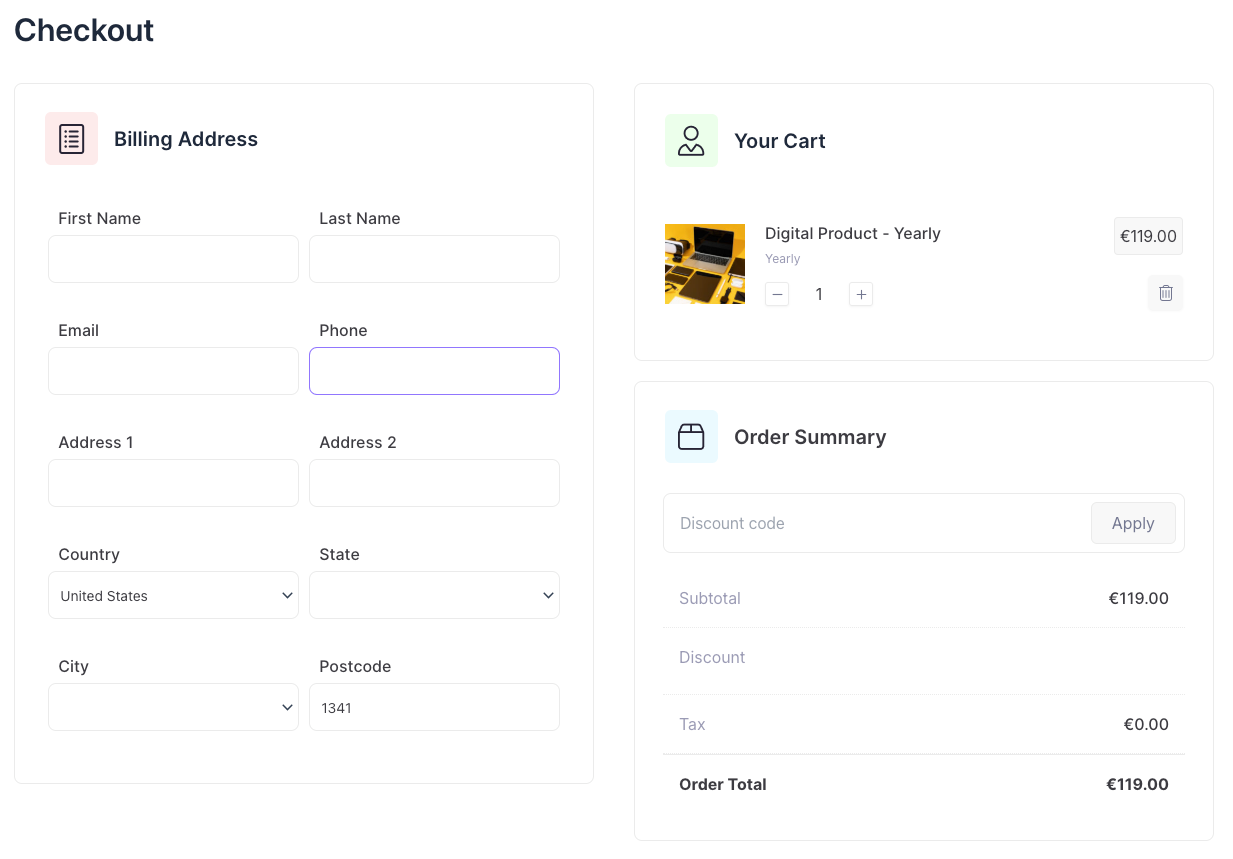
Customer Checkout View

When a customer lands on the checkout page, they’ll see the updated fields exactly as you arranged them — clean, responsive, and easy to complete. This helps reduce drop-offs and ensures you capture the information that truly matters.
How to Get Started

Custom field editor

  • Install and activate the Checkout Field Editor addon
  • Open the Checkout Editor from your EasyCommerce dashboard
  • Add or modify fields as needed
  • Save changes and preview your new checkout form

Check out our full setup guide with screenshots to configure it in minutes.


Get 'Checkout Editor'

This is a free addon. You can download it immediately for free. No registration or credit card required.

Product Details

  • Version0.9
  • Last Updated2025-04-18
  • WordPress Version6.0 or higher
  • Testes Up ToWordPress 6.8
  • PHP Version7.4 or higher
  • Setup & Docs